
Browser, Outlook and Cyber Trust API
Start where decisions happen and automate when you need to scale. Use ThreatPrevent in the browser, bring trust context into Microsoft 365 Outlook or integrate the API into repeatable workflows.
ThreatPrevent Browser Extension
Assess a site while it is in front of you. ThreatPrevent brings current trust signals, supporting context and practical guidance into Chrome, Microsoft Edge, Firefox and Safari—without forcing users to leave their workflow.
- ✓ On-page cyber trust checks
- ✓ Decision-ready explanations
- ✓ Evidence at the point of action
- ✓ Rapid user deployment
Download and install the extension.
Choose browser seats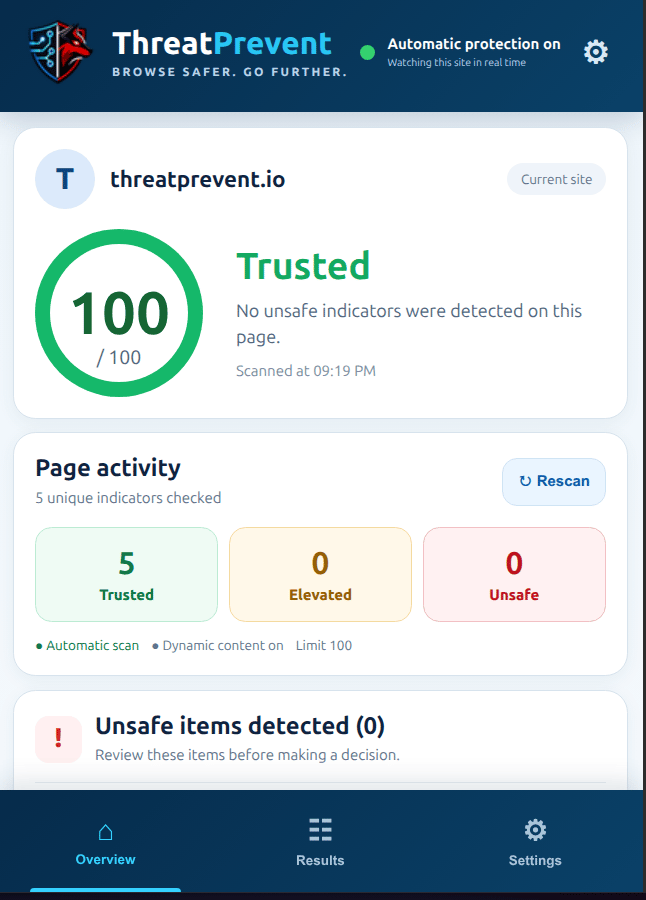
ThreatPrevent Outlook Protection
Assess email addresses, domains and public IP addresses from the message in front of you. ThreatPrevent also uses Smart Alerts to bring trust guidance into the outbound workflow when a user selects Send.
- ✓ Assess supported indicators in active messages
- ✓ Check trust before outbound email is sent
- ✓ Deploy through Microsoft 365 administration
- ✓ Connect securely with OAuth and PKCE
ThreatPrevent Cyber Trust API
Use the same intelligence programmatically for supplier onboarding, payment review, infrastructure validation, fraud operations and other moments where trust must be checked consistently.